📥  Crédit Agricole
Crédit Agricole is both your bank and your broker. The main import is the account's Lista movimenti: the last two years of real cash — salary or pension, transfers, bills, taxes, fees, coupons and dividends.
💳 Export the account movements
📄 Step 1 — Open the movement list
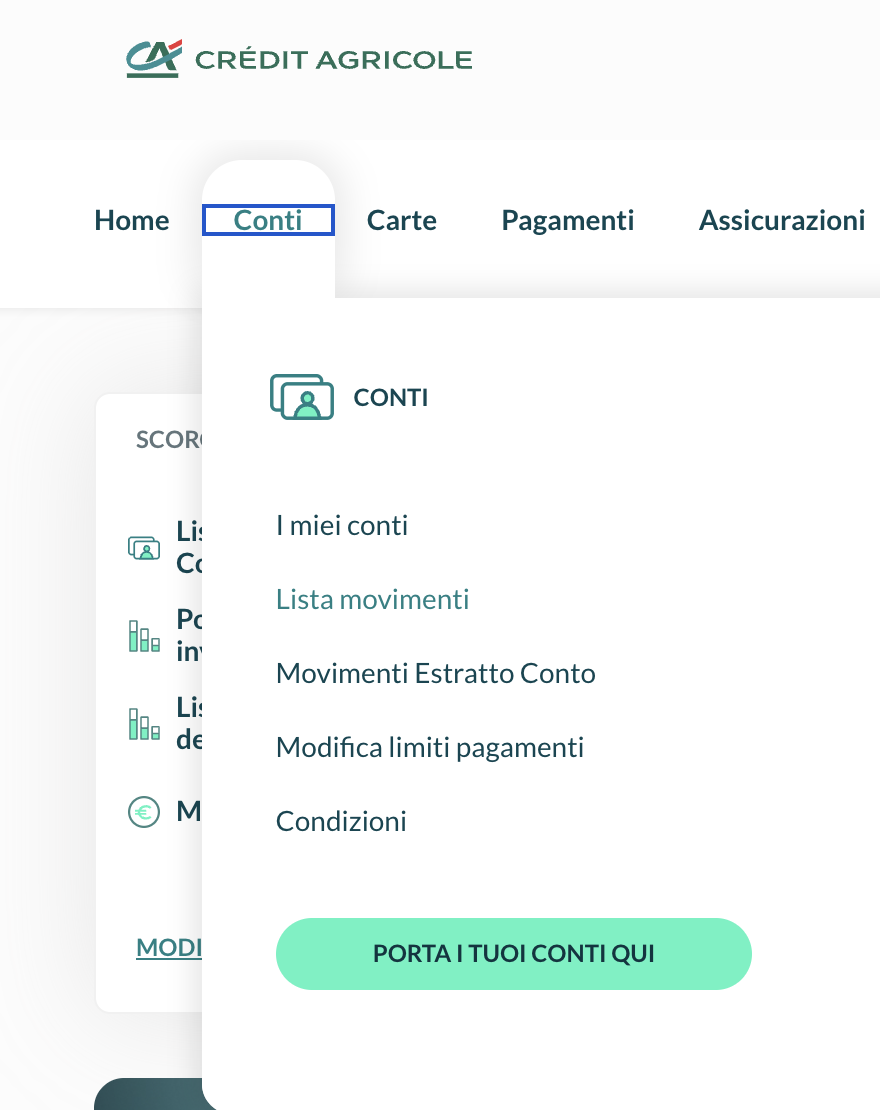
In online banking, open Conti in the top menu and choose Lista movimenti. If you have several accounts, pick yours in Seleziona rapporto.
🗓️ Step 2 — Choose the period
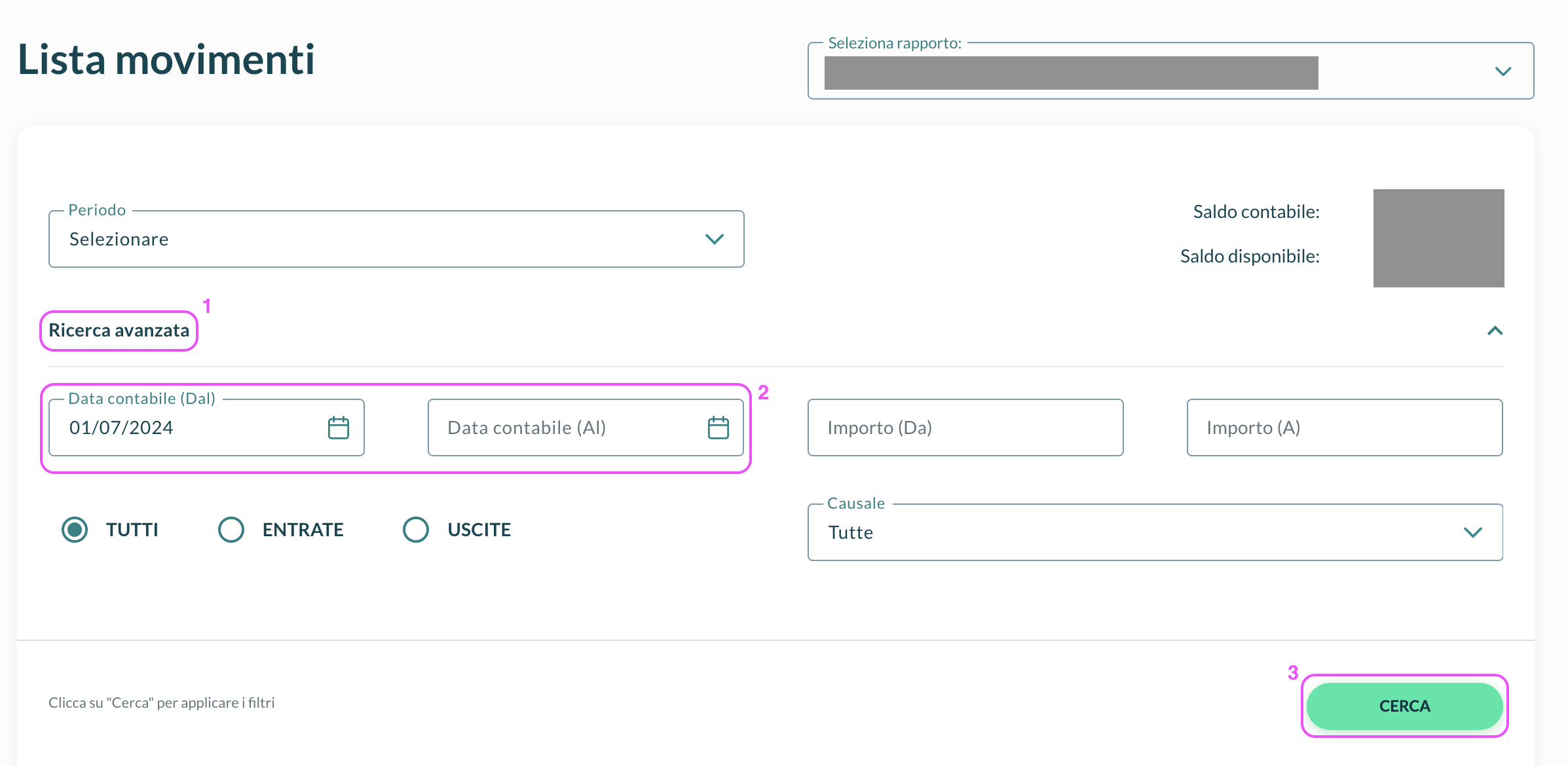
Click Ricerca avanzata, set Data contabile (Dal) and Data contabile (Al) to the widest window the bank allows (two years), then click CERCA.
💾 Step 3 — Download the file
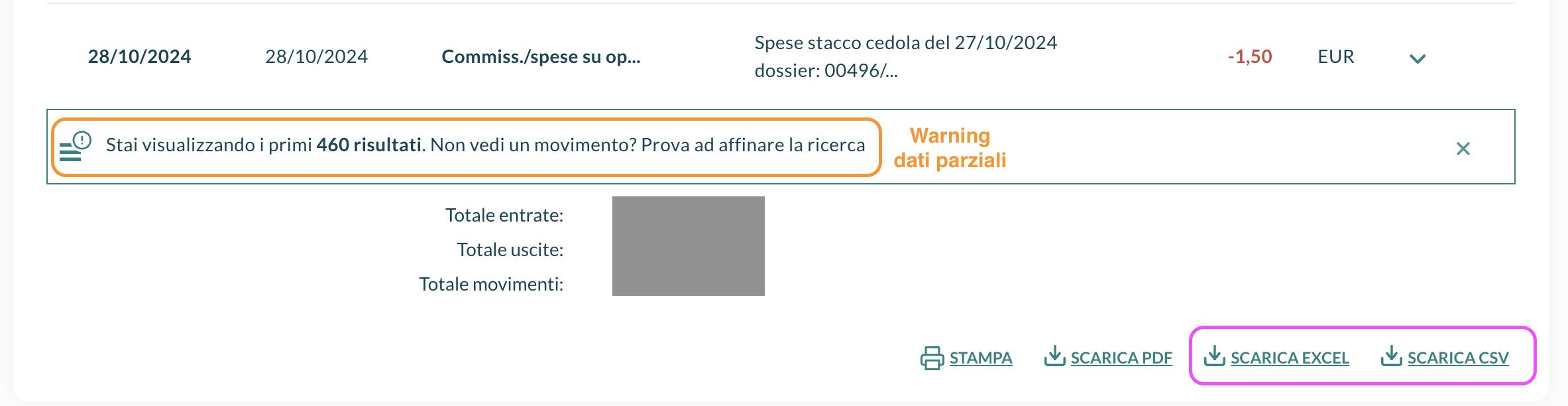
Below the list, click SCARICA EXCEL or SCARICA CSV, and import the file without opening or editing it.
✂️ Export in blocks — when the bank shows only the first results
When the list says Stai visualizzando i primi … risultati, it has been cut and the oldest movements are missing. Export the period in blocks:
- Download the block as it is.
- Note the date of its oldest movement.
- Set Data contabile (Al) to that date, click CERCA and download again.
- Repeat until a block reaches the start of your period.
Import all the blocks together. The day where two blocks meet is in both files: the Duplicates step of the wizard keeps one copy (how it works).
💰 Step 4 — Add the starting balance
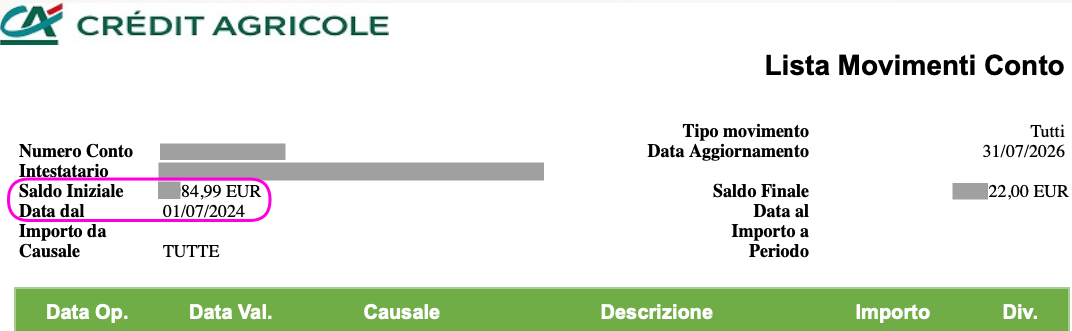
The export lists movements, not the cash you already had, so the broker's cash would start from zero. Read Saldo Iniziale and Data dal at the top of the Excel export, and add a Deposit of that amount on that date with the transaction form.
🕰️ Securities history older than two years
Is your securities account older than two years? A second export, the Lista movimenti deposito titoli, recovers its earlier trades, coupons and maturities — securities only, no bank cash.
📦 Add the securities history — when your securities account is older than two years
Export it after the account movements, and make it end the day before their Data dal: the two files then never overlap, and no operation is counted twice.
📂 Step 1 — Open the securities movements
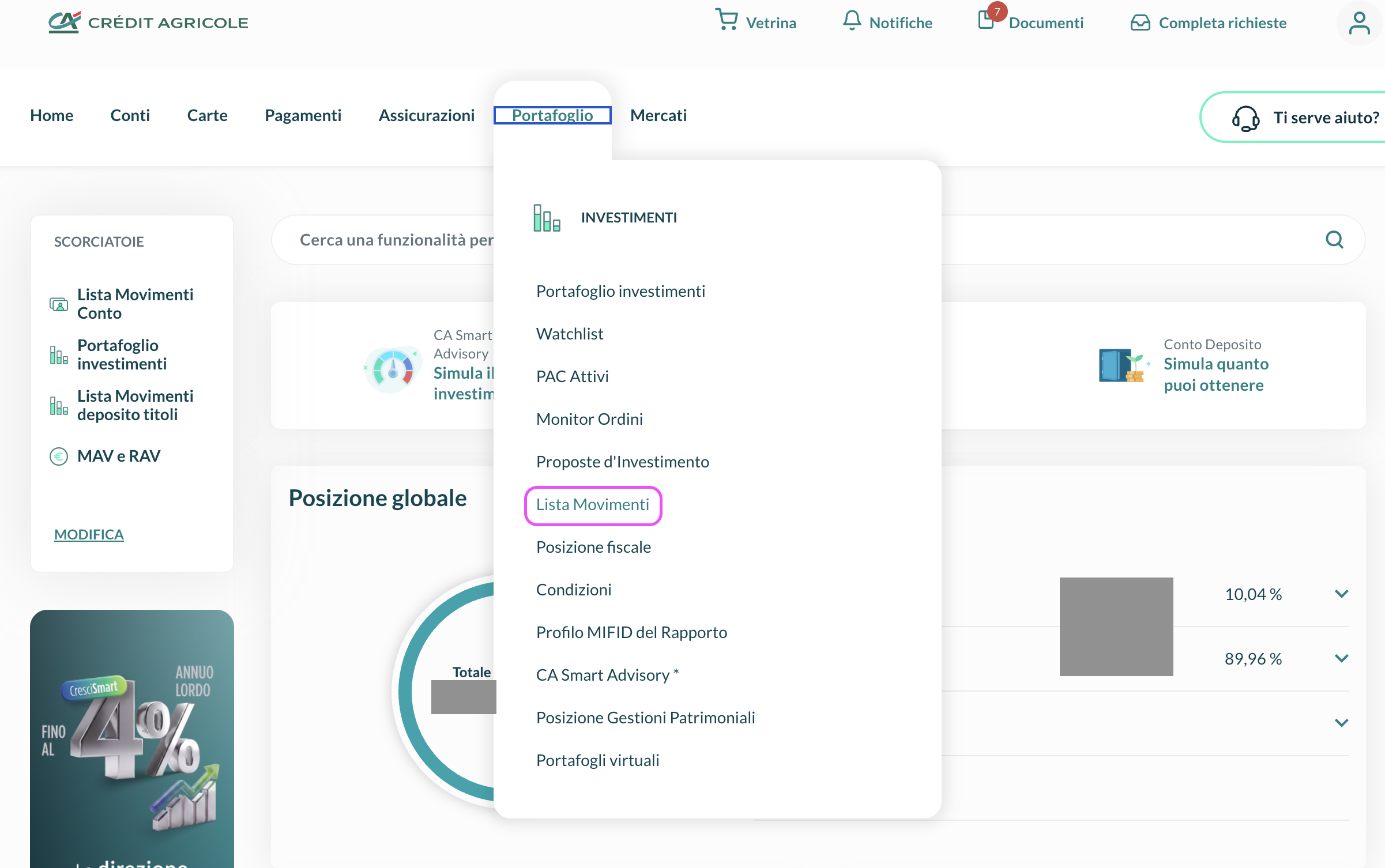
Open Portafoglio in the top menu and choose Lista Movimenti.
🗓️ Step 2 — Choose the period
Set Data Operazione (Dal) as far back as the bank allows, and Data Operazione (Al) to the day before the account movements' Data dal.

💾 Step 3 — Download the file
Click CERCA, then SCARICA EXCEL or SCARICA CSV, and import the file as it is.
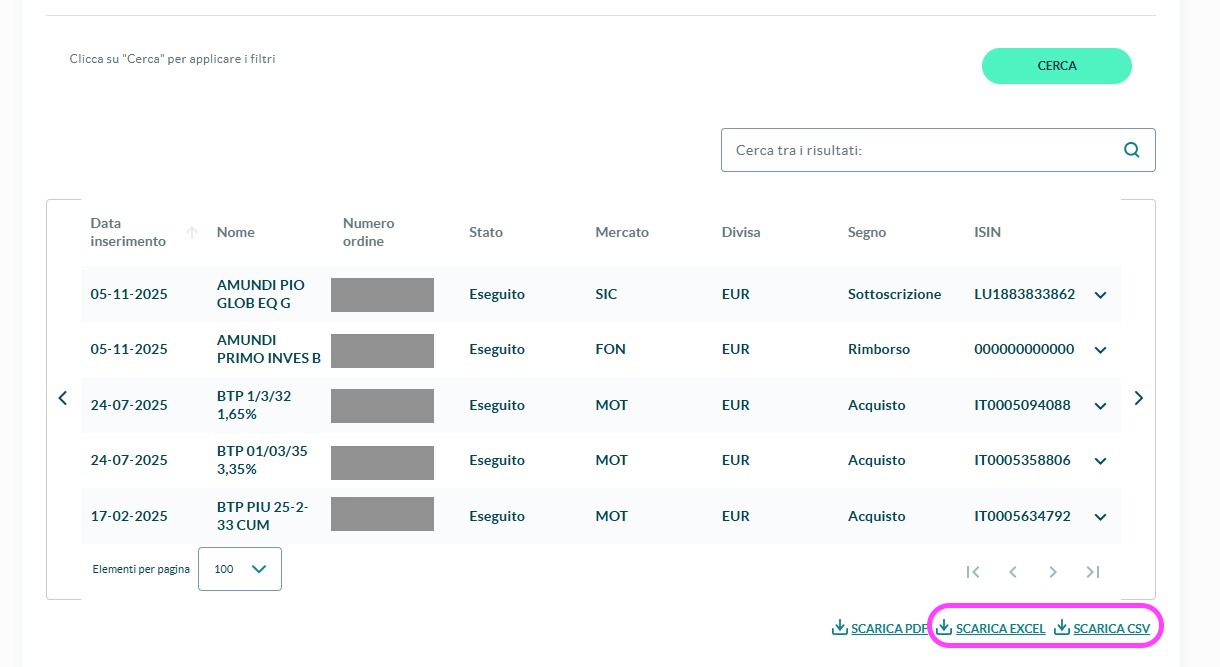
🔄 What this file imports
| In the file (Causale) | Imported as |
|---|---|
CEDOLA |
Interest (bond coupon) |
ACQ.CONT.SU MERC., SICAV: SOTTOSCR |
Buy |
FONDI: RIMBORSO |
Sell (fund redemption) |
TITOLI SCADUTI |
Sell at par (100), plus Interest for any amount paid above par |
GIRO ALTRO DOSSIER, VERS.TITOLI |
Adjustment: securities moved in from another dossier, such as an inheritance, at their book price and without cash |
Any other causale is skipped with a warning. Each buy gets a matching Deposit, and each sale, coupon or premium a matching Withdrawal: this file adds no cash of its own, and the real cash comes from the account movements.
🔄 What gets imported
| In the account movements | Imported as |
|---|---|
| Salary or pension, card payments, bills, cash withdrawals, transfers | Deposit or Withdrawal, by the sign of the amount |
| Coupons and dividends | Interest or Dividend, linked to the security when the line gives its ISIN; a stated withholding (RITENUTA) becomes a separate Tax |
Account interest and the monthly fee (INTERESSI/COMPETENZE) |
Interest when credited, Fee when charged |
| Commissions and charges | Fee, or Tax for capital gains tax, stamp duty and withholdings |
| Buys and sells of securities and funds | Buy or Sell when the coupons of the same bond give the quantity; otherwise a cash row for you to complete |
| Matured or drawn bonds | Sell at par (100), plus Interest for any premium; without the bond's nominal in the file, one Sell of the whole amount, with a warning |
| A fund redemption paid by bank transfer | A Deposit for you to complete: the bank states the money, not the units sold |
| Any other operation | Deposit or Withdrawal by sign, listed in a notice so you can check it |
⚠️ Good to know
- Some rows ask for your help in the Corrections step of the wizard (how it works):
- trades without a quantity, and fund redemptions: pick the type, the security and the quantity;
- trades whose amount may include accrued interest and commissions: add them under Separate the price from the charges?, from your contract note (nota informativa);
- charges that name no security: assign them, or keep them on the account.
- Securities are matched by name. The securities export gives no ISIN: match each security in the Resolve Assets panel of Review.
- Amounts as written, in the currency of each row, with no conversion. Dates are the operation dates.
- Messages in Italian. Most of the importer's notices about these files are in Italian, like the report.