 Directa SIM
📥 How to Export
LibreFolio supports both the CSV and XLSX (Excel) formats exported from Directa SIM. The screenshots below are from desktop, but the steps are similar on mobile.
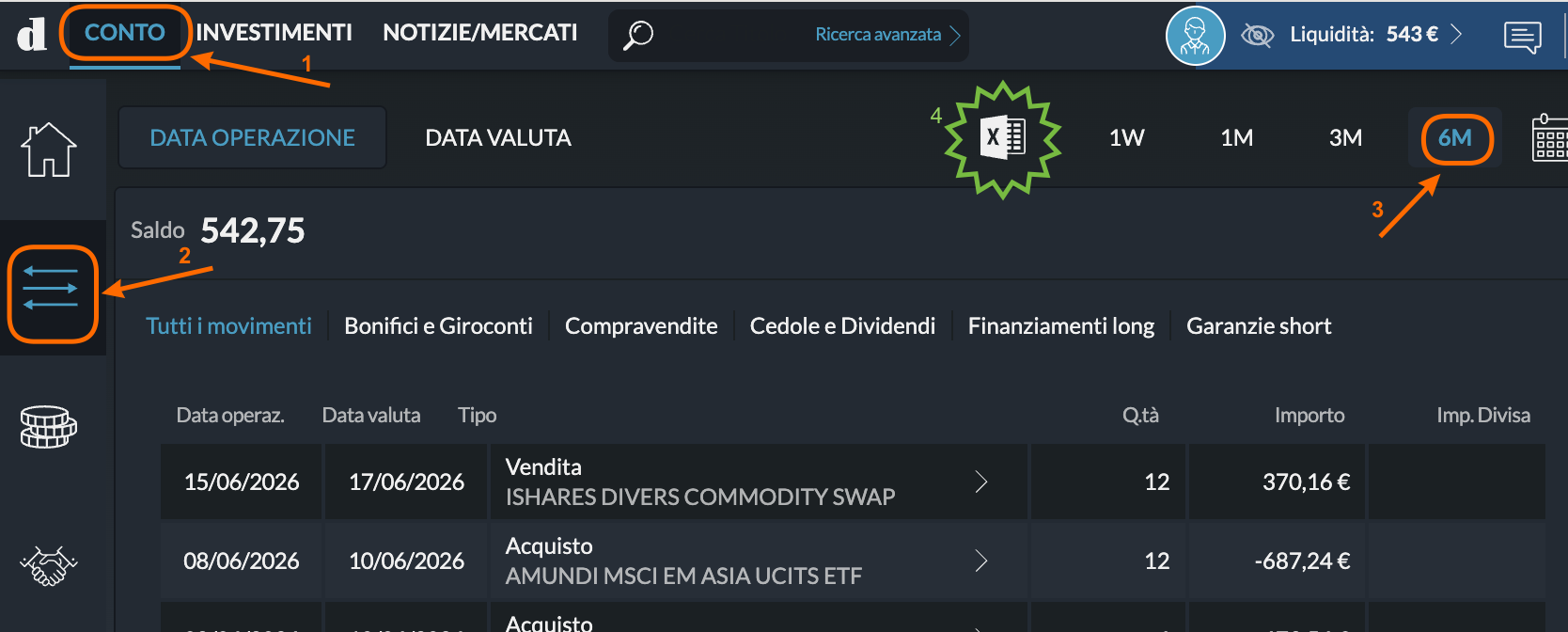
Step 1 — Open the transaction list
Log in to Directa and click the CONTO tab (❶). Then click the transactions filter icon on the left (❷) and select the time period you want — e.g. 6M (❸).
Step 2 — Export as CSV or Excel
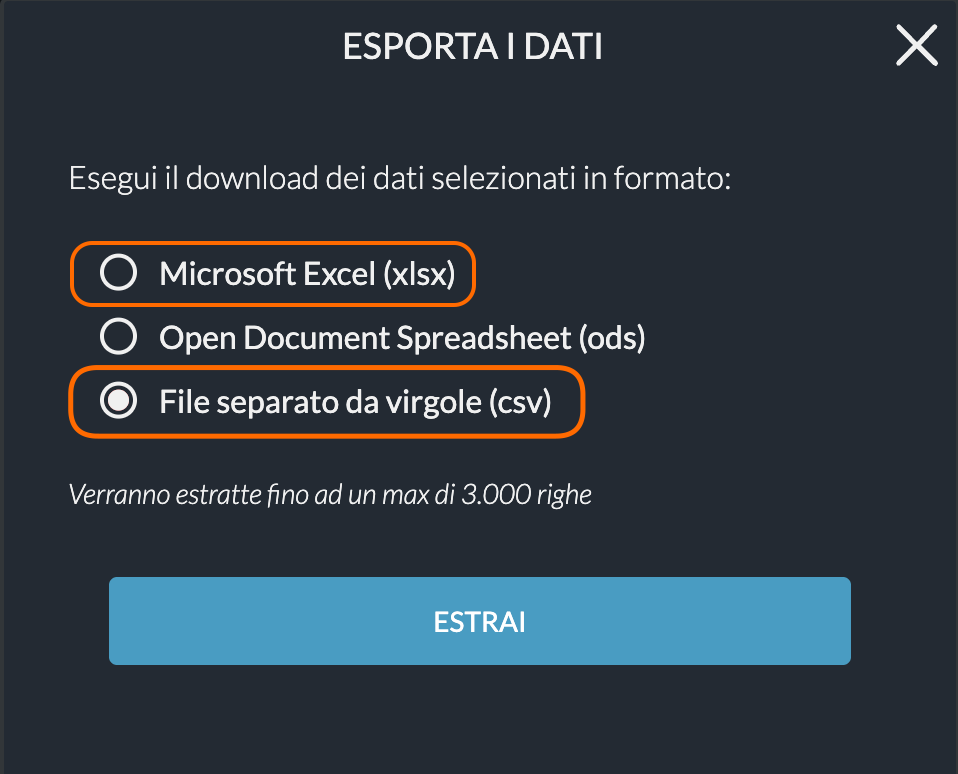
Click the export icon (the spreadsheet icon with the green X) at the top of the table. In the dialog that opens, select File separato da virgole (csv) (or the Excel option) and click ESTRAI.
Save the file and import it into LibreFolio. If you choose CSV, don't open or re-save it in Excel first, as that can alter the number formatting.
📝 Notes
- Supports stock, bond, and ETF trades, dividends, taxes (ritenute fiscali), and transaction fees.
- Both CSV and XLSX (Excel) formats are supported — not ods.
- Account operations are denominated in EUR.
- The export covers up to 3,000 rows per file. For longer histories, export multiple periods and import them in sequence.